
Automatic File Cleanup
Cleanup deletes matching files according to the configured folder and rules. It suits temporary exchange areas and disposable working files. Confirm the scope and retention requirements before enabling it.
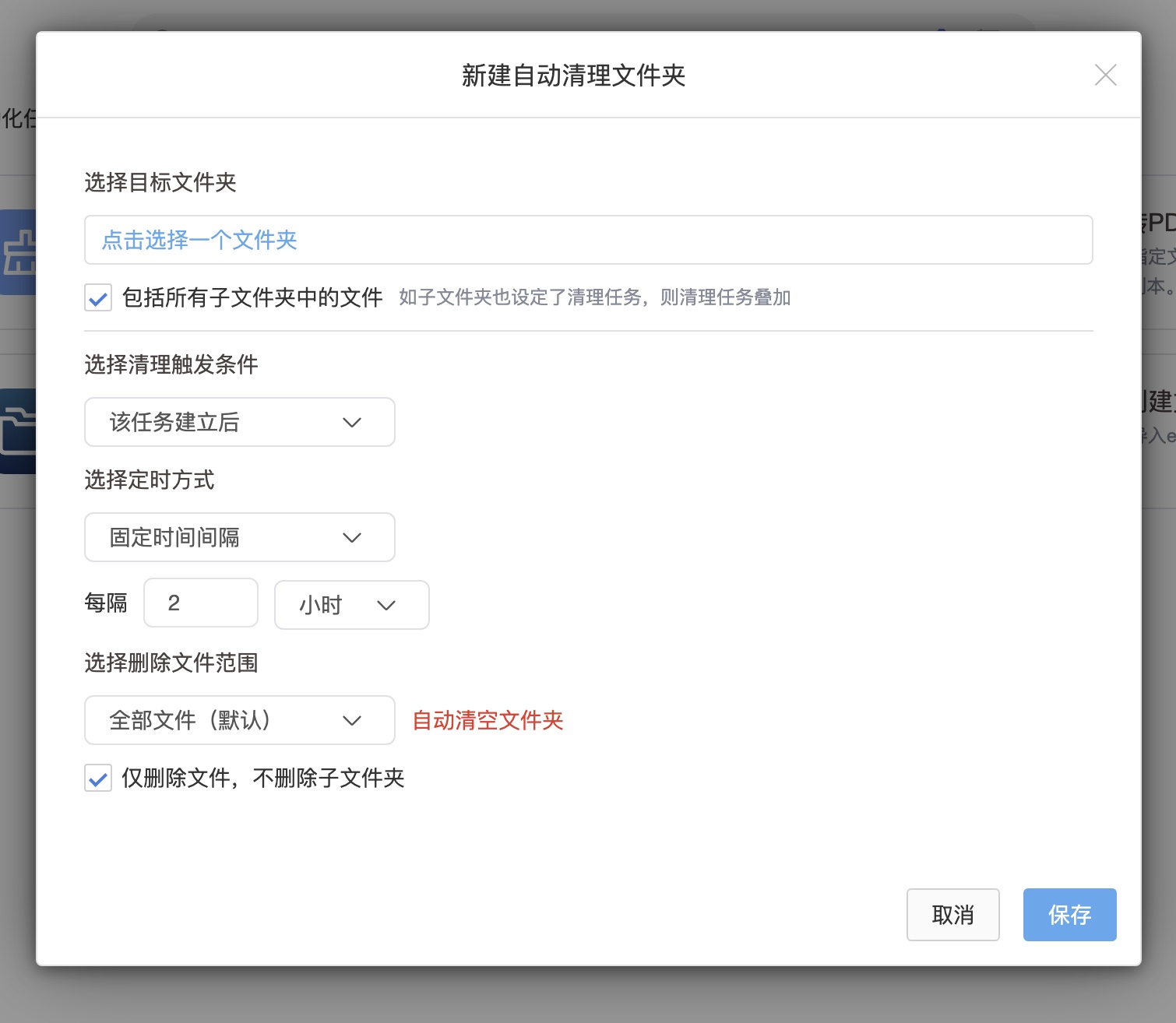
Configuration
- Select the target folder and confirm coverage of subfolders and existing files.
- Set the time, name or type conditions available in the task UI; unconfigured conditions must not be assumed.
- Verify permissions and test a small set of disposable files.
- Check task results and file logs. Recovery remains subject to recycle-bin retention.
Interaction with Other Tasks
Cleanup is not guaranteed to execute last. Task weights affect the order in a shared folder, so do not assume cleanup waits for PDF conversion.
For deleting originals only after successful conversion, use the corresponding PDF conversion option and verify results. Keep independent backups of important originals.