
Automatic PDF Conversion
Generate PDF copies from supported files in a selected folder for finalization, exchange and archiving. PDF alone is not tamper-proof; permissions, versions and appropriate signing still matter.
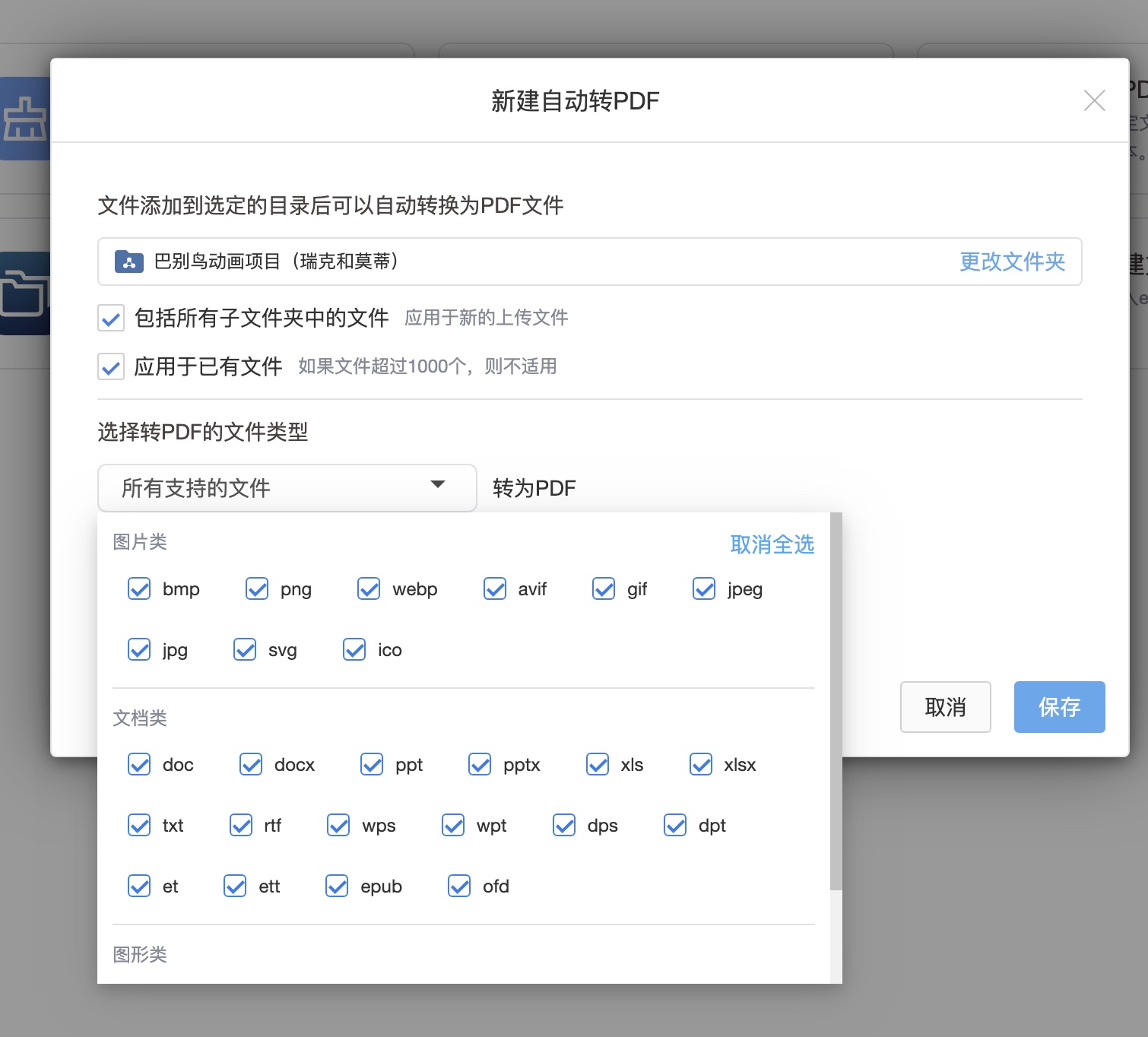
Configuration
- Select the folder and whether to include subfolders or existing files.
- Choose listed extensions or All supported files.
- Decide whether to delete originals after successful conversion. Test with deletion disabled first.
- Save and verify output content, layout and page counts.
Formats and Limits
Supported formats depend on the task's extension options and installed converters. Upload or preview support does not automatically imply support for automated PDF conversion.
Use the current UI limits for existing-file counts and file sizes. Source revisions differ; a fixed 5,000-file limit or format count is not a universal promise. Check failures and oversized files rather than treating them as successfully converted.
Deletion and Task Order
Deleting originals after successful conversion is an option of this task, not an independent cleanup task. See automation task order. Keep important originals and independent backups where needed.